Showing posts with label VS 2010. Show all posts

Friday, May 13, 2011

Debugging managed code in AX 2012

Since a lot of X++ code is now executed in CLR there should be a possibility to debug it. The standard AX debugger cannot help here since it is capable of debugging interpreted code only. However, Visual Studio 2010 can do the job.
There are few steps needed to be able to debug managed X++ execution using VS:
  1. Breakpoints should be enabled on server (in AOS configuration).
  2. Visual Studio should be started with elevated permissions (run as administrator).
  3. Visual Studio should be attached to Ax32Serv.exe process (AOS process).

After that you can locate the source code and place the breakpoint. This can be done either using Application Explorer, or by opening .xpp source file directly from the [AX server path]\bin\XppIL\Source folder. Each method of each class or table has a separate .xpp file that is named [ClassName].[MethodName].xpp.

And that’s it. Now the debugging will happen is visual studio. Call stack, watches, etc. are also available.

Tuesday, May 10, 2011

Visual studio tools for AX 2012

Now it became really easy to develop managed components for AX.
In order to do that you’ll need Visual Studio 2010 and Visual Studio Tools for AX 2012.


The first tool to mention is, of course, Application Explorer. It contains elements from AOT (and it actually looks pretty much like AOT) and allows to perform some operations with them. For example, it is possible to open projects or SSRS reports stored in AOT in the same visual studio instance just by clicking edit on project node in application explorer.


Application Explorer also allows to generate proxies for AX tables, classes, enums and add them to the project. Just by dragging them from application explorer to solution explorer.


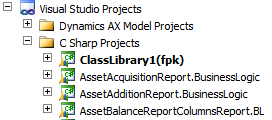
It is also very important to mention that VS projects can now be stored in the AOT. That is convenient since they can be included into models, as well as all other AOT objects and thus packaged\deployed easily.


Project can be added to the AOT from the Visual Studio directly.